Complect

Subscribe to updates
© 2025 Complect

Enhancement

Dec 12, 2023

Just when you thought you figured out what all of Complect's doohickies and thingamabobs did, we have gone and changed it on you. But, please don't freak out, we tried to to keep it as intuitive as possible! With new features or product enhancements rolling out at such a rapid pace, we needed to update how users navigated our site to give us plenty of room for future feature growth. 

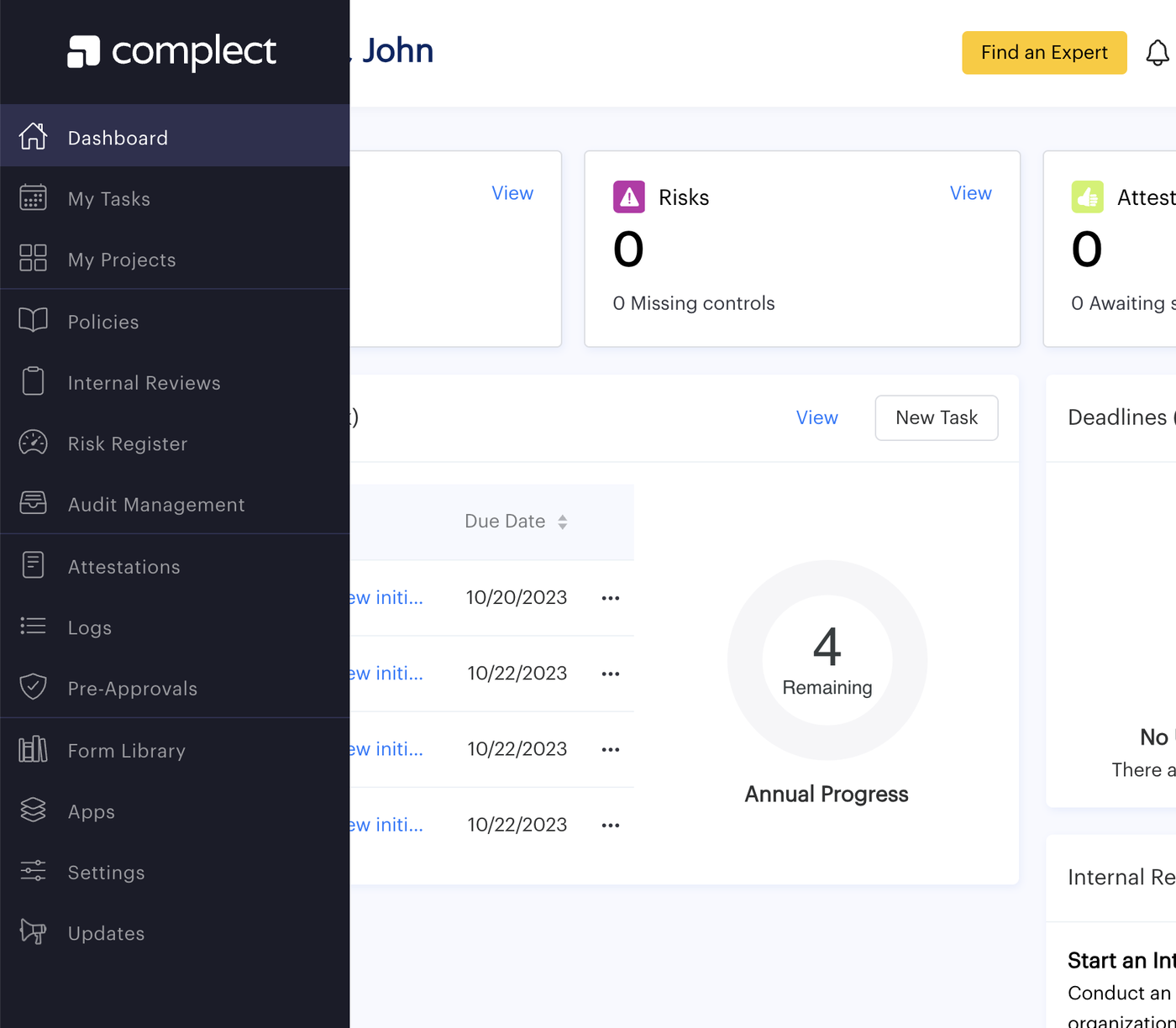
We are moving as many of our links as possible out of the header and into our left hand navigation bar. From there, we have grouped them into icon groups that represent major concepts of your firm's compliance program. As an RIA, depending on your role within your firm, your left hand navigation bar will have icons that group our features as follows:

"My Workspace" (Four grid Icon)

  • My Tasks
  • My Projects

"Compliance Program" (Construction Icon)

  • Policies
  • Internal Reviews
  • Risk Register

"Forms" (Form Icon)

  • Attestations
  • Logs
  • Pre-approvals

"Form Library" (Library Icon)

"Files" (Folder Icon)

  • Books and Records
  • Resources
  • Reports
  • Audit Management

"Settings" (Gear Icon)

"Updates" (Rocketship Icon)

"Help" (Question Mark Icon)

As for our partner accounts (the fully tricked out version of our specialist accounts), our groupings largely mirror the business accounts that you'll be managing -- for consistency's sake:

"My Workspace" (Four grid Icon)

  • My Tasks
  • My Jobs

"Contacts Manager" (People Icon)

"Compliance Program" (Construction Icon)

  • Template Tasks
  • Deadlines
  • Template Policies
  • Template Reviews
  • Template Risks

"Form Library" (Library Icon)

"Files" (Folder Icon)

  • Resources

"Settings" (Gear Icon)

"Updates" (Rocketship Icon)

"Help" (Question Mark Icon)

Please bear in mind that our Knowledge Center screenshots are now slightly outdated with this significant navigation change, so please bear with us as we update the screenshots for you over the coming weeks! At least from here on out, we should have plenty of room to grow with this addition of a "pop-out" from the left hand navigation menu. We have features you've been requesting rolling out within the coming weeks, so keep an eye out for more additions to the left hand menu.
Nov 22, 2023

Thanks to your feedback, we've tweaked the MVP of our partner CRM system! Let's peep the enhancements that will supercharge your practice. 

First was some major aesthetic changes:

  • We took away some columns and gave you room in other columns to be able to view key data easier.
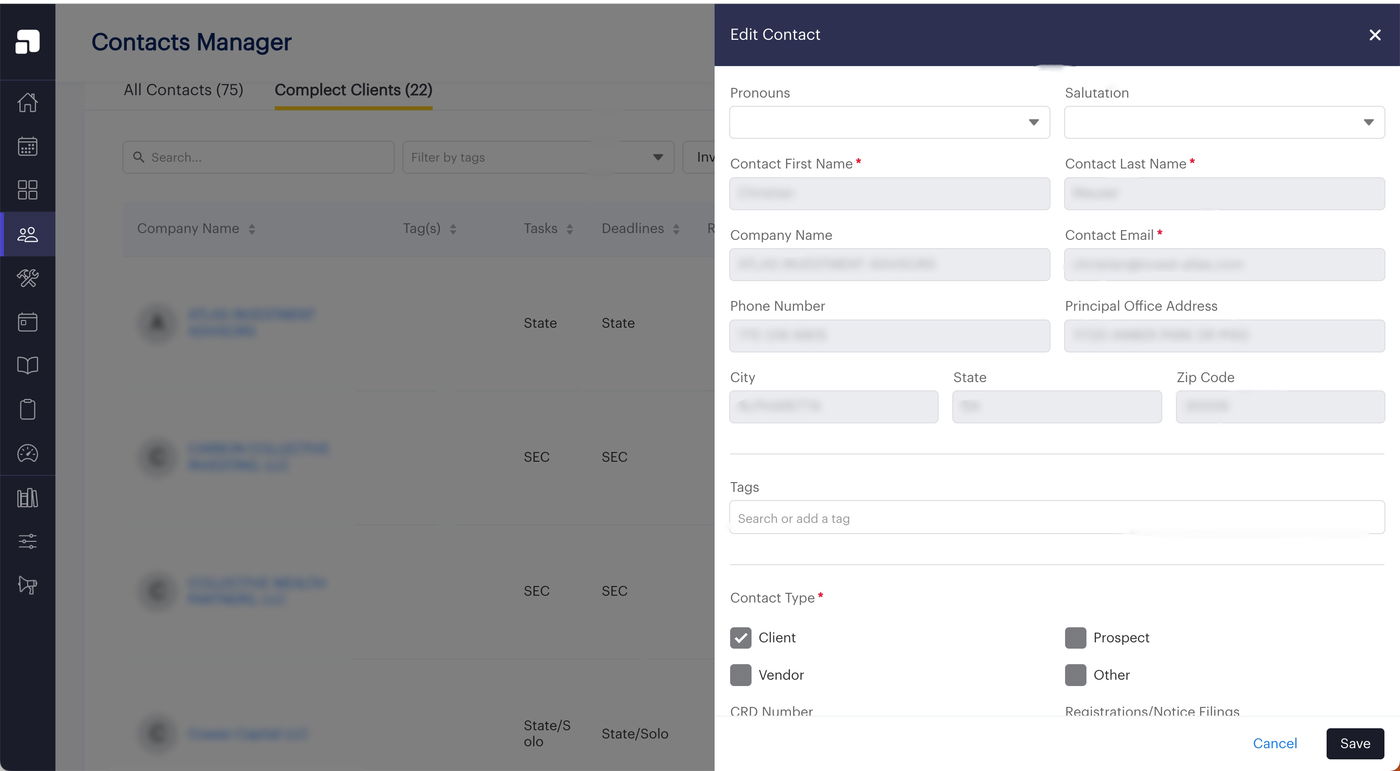
  • Our detailed contact view got a rework by opening up a right hand Edit Contact window pane for you to better view and edit all the data about your contact. (This will also give us room to add more fields and functionalities around the contact in the future.)

Then, we added some features that take the data we know about our shared Complect clients and ensure it syncs with what you know β€” so we’re keeping each other up to date!

  • Shared Complect clients are required to provide their CRD number to us during onboarding, which we use to scrape data from their Form ADV and auto-populate the Company Details section of their Profile page (if they confirm the accuracy of the scrape). Notice any information that seems incorrect? This is the perfect opportunity to pop into your client's account and update that information for them under their Profile page.
  • Shared Complect clients will have their registration and notice filing information scraped daily.
  • Quickly see (and confirm) that shared Complect clients have been assigned to all the groups they need to be for our bulk template features. *Please note from the Contact Manager, we can only facilitate adding and removing a client from a group. Remove is a tool to fix mistakenly adding a client to a group they don't belong in and will wipe all records created by adding them to that group. You must use the reassign function from inside the actual template feature group if you want the client to keep a record of all the data from the old group and simply migrate them to a new group due to changes in their business practices or registration.*
  • Always remember a client's registration anniversary or anniversary of them becoming your client. If you fill out the dates and check off that you want to be notified on the anniversary, we will send you an email every year, so you don't forget!

Keep an eye on this space! We've got even bigger plans for the CRM in 2024!

Nov 13, 2023

FINALLY! We've figured out how to allow you to share your template policies to new clients in the desired order you want. No more rearranging each time you onboarding a new client.

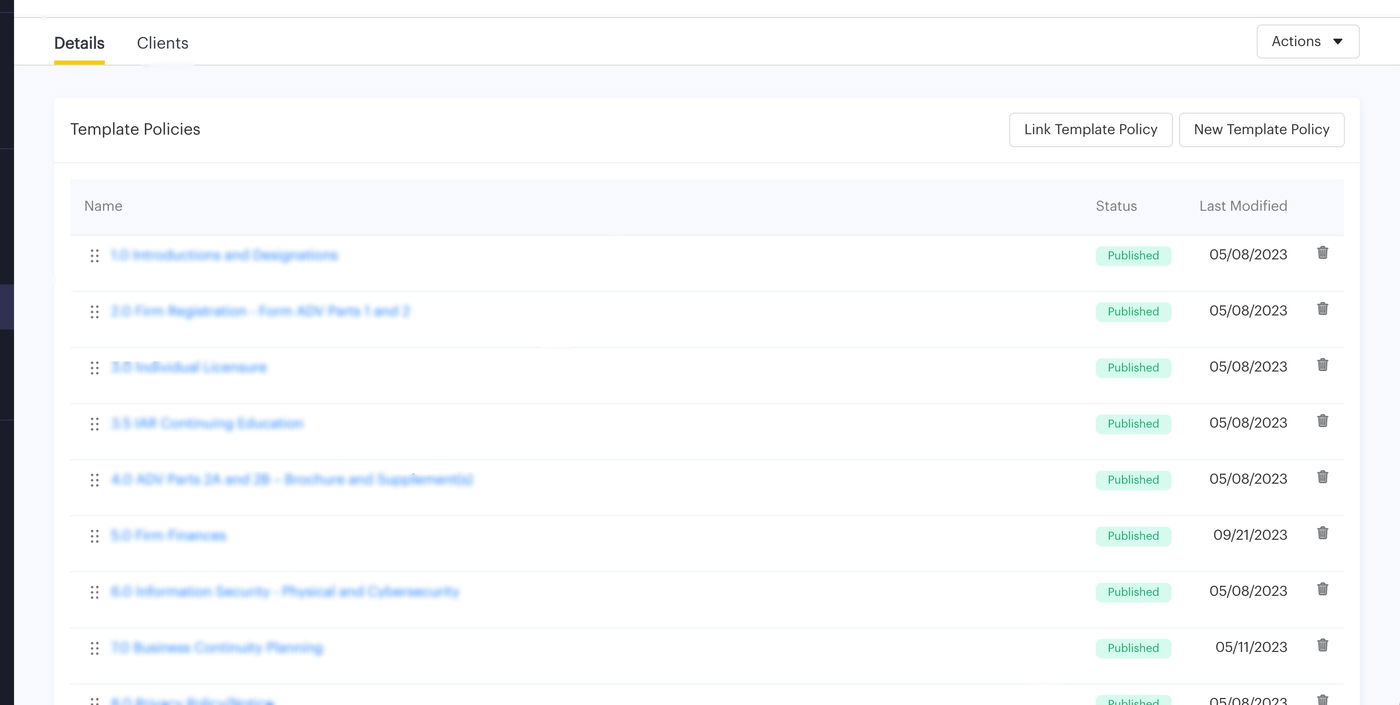
As part of our commitment to building bulk client management tools that save you time, we are constantly trying to improve our products to minimize the customizations you've got to make to prettify your client accounts. Build as many template policies as you want and still track their status and client updates to them through the Template Policies tab. However, now, you can customize by group the order that these template policies get pushed out to your new clients. 

Using the drag and drop icon, you can order your template policies by group and dictate the exact order the newly added clients in that group will see their template policies when they enter their Policies feature. The ordering of template policies within these groups do not effect existing clients added to the group. Any new policies that are created and added to a group are by default added to the end of all existing clients' Policies feature to be relocated by them (or you for them). 

Nov 09, 2023

You were frustrated. We were frustrated. (Trust me, when you are testing a feature 100x in 100 ways, reloading gets old fast.) However, we were so focused on pushing out new shiny features for you all that we just never prioritized going back and caching the api for these large tables of data...until now!

What this means in a nutshell is no more loading up all your data to sort, filter, and view and then editing it and having to restart the process all over again. What were we thinking?? It's like growing out that bad bang decision. We're working on it. 

So far, we've started with caching:

  • My Tasks
  • Template Tasks
  • Template Policies
  • Contact Manager

We'll slowly (but surely) get the rest of our features updated too as those features become more "core" and evolve a little less. 

Nov 07, 2023

If you've used our internal reviews feature, you will have noticed that "Items" act as a nice checklist function so that you can build out a blueprint for internal audits that (with enough clear guidance) -- anyone can complete.

However, we had default selected Items as having no issues, which sort of defeated the purpose of the checklist, since people might see it marked and skate right through the Item. πŸ™ˆ So, we've now made all Items come unchecked as neither green nor red and added a validation that requires all Items to be checked off in order to mark the review category as complete.

Duh!

Pretty simple enhancement, but hopefully a world of difference!

Nov 03, 2023

We're evolving...quickly! As a small startup, we value user feedback and are constantly making tweaks to satisfy our clients' needs. This means we push updates and "new releases" on a weekly and sometimes several times a week depending on the critical nature of the fix. 

This can be great, unless...you're guilty of being an open tab monster and leave windows and tabs open to your favorite/most for days and weeks and months! πŸ™‹πŸ»β€β™€οΈ 

What happens is that some of our updates impact what your browser shows you (commonly called UI, for user interface). For example, if we move buttons around or change the links where certain buttons take you. When you leave our site open in a tab or window all the time and then come back to it, it's still showing you the version of our site from when you last used it. We either need to tell the browser to automatically refresh whenever we update our UI or you need to manually hit that refresh button.

Automatic is always the goal, but some of you are actively working on internal reviews or writing policies and haven't hit that save button yet. If we refresh the page on you automatically, precious information could be lost...and we'd have a lot of unhappy campers.

When you wanted the site to automatically update for you, but then realized it deleted all your unsaved work in the process

So, we are sending you an in-app notification when you should refresh your browsers. You can click confirm and it'll refresh for you or (if you're mid work) you can elect to click cancel and quickly save your progress and then manually refresh. 

Oct 30, 2023

Useful for all CCOs who want to see what's being documented by their team, but even more useful for compliance consulting partners who need to see what compliance tasks their clients are completing at the firm level. 

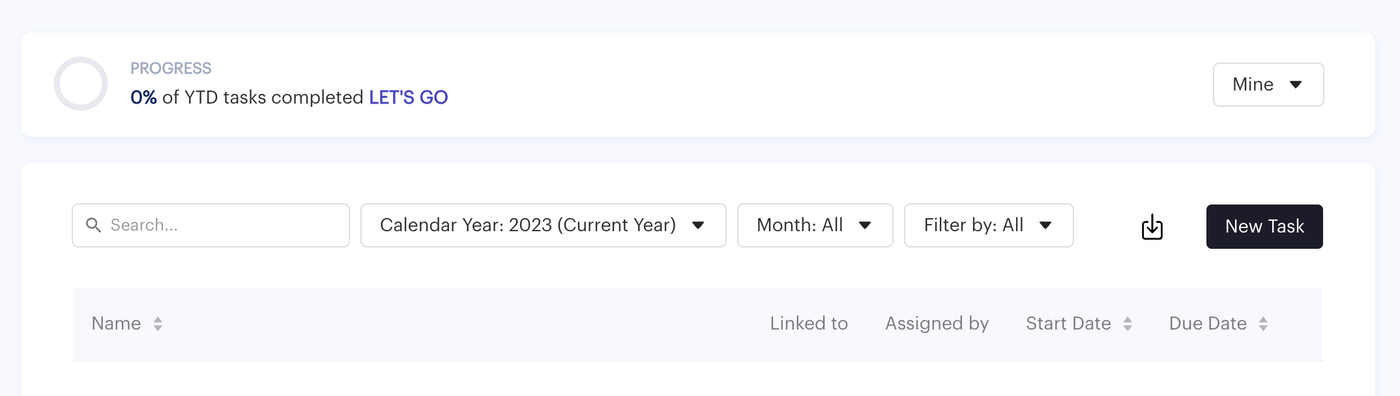
While Admin role and Trusted role users were always able to see a full record of a firm's compliance calendar of tasks through the CSV export function, we recognize that certain super users may need to actually fix or tidy these records up (e.g. delete duplicate tasks, fix descriptions, etc.). So, for Admin role users we have pushed an enhancement to allow them to toggle between "Mine" view and an "All" view from their My Tasks page.

"Mine" view is the traditional default view of tasks that have been assigned to you or created by you. "All" view is a God-mode that allows you to see all the tasks within the firm's records. Please note, you will allow not be able to modify the task though unless you are the task creator or assignee. Need to make a change though? Ask one of them to add you as an assignee! 

Oct 18, 2023

We rolled out our commenting feature to encourage and promote collaboration on your policies and procedures. However, since adding comments to published policies creates a new draft of the policy, we heard it was stifling post-publishing collaboration.

You asked. We listened.

Now, if you have some last minute questions or discussion you want to initiate through comments, but don't want to see your beautiful row of perfectly green published policies marred with a gray draft status (just because you're talking about a policy but haven't initiated any changes), then you can and we won't change the published status!

We'll only create a new draft of your policy when we recognize a non-comment based change to it, so still be careful of any additions or deletions made to the policy. If it's just a discussion about present published content, then chatter away in comfort without worrying that the policy will be changed from published status.

Pro tip: Don't forget to delete your comments when you're done collaborating to prevent clutter and to remove the highlights on your commented text.

Oct 12, 2023

We're constantly trying to improve and that includes visually as well

If you've logged in recently, you'll notice our new and improved left hand navigation bar with icon sets for every key link you'll need to save you the effort of clicking drop down menus. We have also made the left hand navigation bar expand without having the rest of the page responsive to that change. These are tiny tweaks, but we hope it improves your user experience and makes our site not only more intuitive, but more visually engaging to keep you coming back! πŸ‘€